
Description
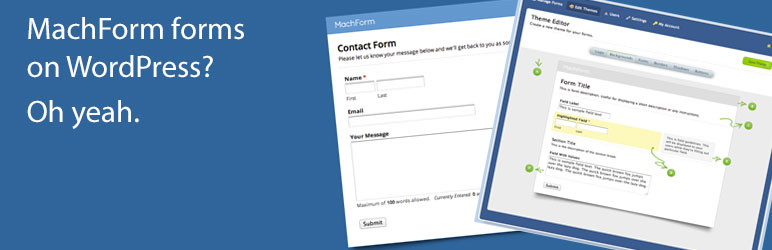
MachForms is an excellent, easy to use form builder that you host on your own server or site. Embedding one of those forms in WordPress used to mean “jumping through some hoops”. Not any more.
Add a form with the MachForm block in the block editor (Gutenberg): insert the block, type your form’s ID, and you are done. Prefer shortcodes, or working in the classic editor or a page builder? The [machform] shortcode does exactly the same job and both produce identical markup. Need a form in a blog post? On a page? In a widget area? No problem.
For more information, check out the plugin page on our website.
Features include:
- A MachForm block for the block editor, so you can add a form without writing a shortcode
- Support for MachForm’s modern javascript forms, with no jQuery needed
- Support for MachForm’s older jQuery based forms
- Support for iframe based forms
- Support for URL Parameters
Easy to use! This plugin isn’t just for developers, no matter what your skill level you can use this plugin to easily add forms from your MachForms system to your website!
How to use the block editor block:
- Click the “Code” option on your form inside of MachForm to see the embed codes, and make note of your form’s “ID” and “height”.
- In the block editor, add a block and search for “MachForm”.
- Enter your form’s ID. Height, title, embed method and URL parameters are all in the block sidebar.
- You are done! The form appears on the published page. The editor shows a summary card rather than a live form, so the form cannot resize itself while you are editing around it.
How to use the shortcode:
- Click the “Code” option on your form inside of MachForm to see the embed codes.
- Make note of your form’s “ID” and the “height”.
- Use the shortcode to embed your form into your content using this format: [machform id=(ID #) height=(height #)]
- You are done, your form should show in your content now!
The shortcode and the block produce exactly the same markup, so you can use whichever suits you and mix them freely.
Embed methods:
type=js– the default. Automatically uses the modern method if your MachForm supports it, and the jQuery method if it does not. You normally do not need to think about this.type=mf– forces MachForm’s modern javascript loader (js/mf.js). One script, no jQuery, and the form resizes itself to fit.type=jquery– forces the older jQuery loader. Only needed if your MachForm is too old to include js/mf.js.type=iframe– a plain iframe with no javascript. Fixed height, but you can use as many on one page as you like.
URL Parameters:
The plugin now supports URL parameters. The parameters are easy to pass via the shortcode by simply including the parameter and value inside of the shortcode like the following example:
[machform type=js id=1593 height=703 element_1_1=”Field Text Here” element_1_2=”Field Text Here”]
For more information on using URL Parameters with MachForm, please see their website by clicking here.
Review or Rating
Don’t forget to leave a review or a rating, and also connect with us on social media! Thank you for your support.
IMPORTANT NOTE: MachForms is a 3rd party application sold by AppNitro. Installing this plugin allows you to use a shortcode anywhere on your site to embed a form that is created in MachForms. This plugin does not provide a form builder interface.
Screenshots


Blocks
This plugin provides 1 block.
- MachForm Embed a form from your MachForm installation.
Installation
- Install MachForm Shortcode either via the WordPress.org plugin directory, or by uploading the files to your server
- After activating MachForm Shortcode, navigate to the “MachForm Shortcode” menu link under “Settings” in your WordPress admin.
- Supply the URL/location of your MachForm installation and click “Save Configuration”.
- You’re done! Add forms to your site with the “MachForm” block in the block editor, or with the [machform] shortcode.
FAQ
-
What version of MachForm does this plugin work with?
-
The plugin has been tested with MachForm versions 3 through 30, version 30 being the current MachForm release. If you do run into a problem with a particular version, please let us know and we’ll get it fixed – it helps a lot if you can send us a sample form and a copy of what its embed code looks like. You can contact us by visiting our website at www.laymance.com.
-
I’ve found a bug, what can I do?
-
Please let us know and we’ll get it fixed right away. Contact us via our website at www.laymance.com.
-
What is the shortcode format?
-
Here is how to use the shortcode:
[machform id=(ID #) height=(height #) type=(“js”, “mf”, “jquery” or “iframe”) title=(“Form name”)]
If the “type” is not given, it will default to the javascript (“js”) method, which picks the best javascript loader your MachForm installation supports.
The “title” is optional. It sets the form’s accessible name, which screen readers announce.
If the “height” is not given, it will default to a height of 800 pixels. But please give the height to ensure that your form appears correctly!
The ID is a REQUIRED field.
-
Is there a block for the block editor?
-
Yes. Add a block and search for “MachForm”. Enter the form ID, and set the height, title, embed method and any URL parameters in the block sidebar.
If you already have posts using the [machform] shortcode, they keep working exactly as before. You can also convert one: select the shortcode block and use the block transform to turn it into a MachForm block, which carries over the ID, height, type, title and any URL parameters.
-
Why does the block not show the actual form while I am editing?
-
On purpose. The block shows a summary card in the editor instead of a live form. Loading MachForm’s loader script inside the editor is what caused conflicts with page builders that this plugin had to work around in version 1.3, and a form that resizes itself is awkward to edit around. The real form appears as soon as you view or preview the page.
-
Can I put more than one form on the same page?
-
Yes, but use the iframe method for them: [machform type=iframe id=1593 height=703]
Both javascript methods rely on a fixed element ID that MachForm’s own loader scripts look for, so only one javascript form can work on a given page. The iframe method has no such limit.
-
Which javascript embed method am I using?
-
Go to Settings > Machform Shortcode and look for “Embed method in use”. The plugin checks once whether your MachForm installation provides the modern js/mf.js loader and then uses the best method available, so type=js does the right thing without you having to choose.
If your install could not be reached from your web server (for example it is behind a firewall or HTTP authentication), the plugin assumes the older jQuery method, which works on every version of MachForm. Your forms will still work. You can force a specific method with type=mf or type=jquery if you need to.
-
What is the difference between the modern and jQuery javascript methods?
-
They do the same thing: both replace the placeholder with an iframe that automatically resizes itself to fit the form, and both scroll to the top of the form after a submission.
The difference is what gets loaded. The modern method loads a single 7KB script and needs no jQuery at all. The jQuery method loads two scripts and depends on jQuery being present. The modern method is therefore lighter, involves fewer third party requests, and is unaffected by themes or page builders that remove or defer jQuery. It requires a reasonably current version of MachForm.
-
My form does not appear on an HTTPS page. What is wrong?
-
Make sure the MachForm URL you saved on the settings screen starts with https:// and that your MachForm installation is reachable over HTTPS. A browser on an HTTPS page will block the form’s script or iframe if it is served over plain http://. As of version 1.6 the plugin assumes https:// when you enter a URL without one.
-
I want the plugin to do XXX or have feature XXX, can you add it?
-
Most likely! Shoot us an email at support@laymance.com and tell us what you want added, we’ll do our best!
Reviews


Contributors & Developers
“MachForm Shortcode” is open source software. The following people have contributed to this plugin.
Contributors

Translate “MachForm Shortcode” into your language.
Interested in development?
Browse the code, check out the SVN repository, or subscribe to the development log by RSS.
Changelog
1.6.1
- Corrected the documented MachForm compatibility. The plugin has been tested with MachForm versions 3 through 30, not only 3.5 and 4.x as the FAQ previously stated
- The plugin description now mentions the block editor block alongside the shortcode
- Documentation only, there are no functional changes in this release
1.6
- Added a MachForm block for the block editor. Search for “MachForm” in the block inserter, type your form’s ID straight into the block, and set height, title, embed method and URL parameters in the block sidebar
- The block shows a summary of the form while you edit rather than a live form, so a self-resizing form no longer gets in the way of editing the page around it
- An existing [machform] shortcode can be converted into the new block, carrying over its ID, height, type, title and URL parameters. Existing shortcodes continue to work unchanged
- The block and the shortcode share the same renderer, so both produce identical markup
- Added support for MachForm’s modern javascript embed method (js/mf.js), which needs no jQuery and loads a single script instead of two
- type=js now automatically picks the modern method when your MachForm installation supports it and the jQuery method when it does not, so existing shortcodes keep working either way. The detected method is shown on the settings screen
- Added type=mf and type=jquery to force a specific javascript method, and kept the jQuery method fully supported for older MachForm installations
- Added a “title” attribute to set the form’s accessible name, which screen readers announce. Previously every embedded form was announced only as “embedded form”
- Fixed a fatal error (PHP 8) when the shortcode was used with no attributes at all, e.g. [machform]
- Fixed a regression from 1.5 where uppercase attribute values such as type=JS or type=IFRAME rendered nothing
- Fixed uppercase URL parameter keys such as ELEMENT_1_1 being silently dropped
- Fixed URL parameter values containing &, “, ‘, < or > being sent to MachForm as HTML entities instead of the actual text
- Fixed an invalid “height” value falling back to 0 instead of the documented default of 800
- The shortcode is now registered even when the plugin is unconfigured, so visitors no longer see raw [machform …] text in content
- MachForm URLs without a scheme now default to https:// instead of http://, which fixes forms silently failing to load on HTTPS sites due to mixed content
- Declared the jQuery dependency on the MachForm scripts so they load in the correct order on sites that move or defer jQuery
- Renamed internal functions to use a mfsc_ prefix to avoid collisions with other plugins and themes
- Removed the iframe’s inline onload handler that scrolled the visitor to the top of the page, added an accessible title, and dropped obsolete HTML attributes
- The settings screen now explains when a URL could not be accepted instead of silently clearing the field, and no longer overwrites your saved URL with an invalid one
- Added an uninstall routine that removes the plugin’s option when the plugin is deleted
- Documented that the javascript embed methods support only one form per page (use type=iframe for multiple forms)
1.5
- Fixes a cross-site scripting vulnerability where someone with admin access could enter code into the MachForm configuration fields
- Minor code cleanup
1.4.1
- Fixes an undefined variable notice being thrown by PHP for those users/hosts who show all errors to the screen. It should be noted that it is recommended that error notices be turned off on production servers because errors (from WP or any plugin) can expose information about your setup, etc., to the public as well as those with less than good intentions (hackers).
1.4
- Added case handling for shortcode parameters, lowercase is no longer required.
e.g. The “type” key can be TYPE, type, TyPe, etc., and the key value can be any case: “js”, “JS”, “Js”, “iFrame”, “IFRAME”, etc. - Added a note to make it clear that MachForms is a 3rd Party web app that is NOT included with the plugin
- Updated links to MachForms from appnitro.com to their new website of MachForm.com
- Formatting changes to the settings screen
- Some general code cleanup
1.3
- Fixed an conflict that would occur when using the Yoast SEO plugin along with Divi Builder. Yoast would attempt to execute the shortcodes in order to get text for the SEO description, but the load of the MachForm javascript would fail because the shortcodes were not visible on the page (hidden in the page builder blocks).
1.2
- Added a note to make it clear that this plugin doesn’t provide a form builder interface, it only allows the 3rd Party app MachForms to be used on a site easily.
- Added text asking for the user to leave a review for the plugin on the WordPress Plugin Directory – this text is on the settings page, unobtrusive (we hate plugins that plaster admin banners for that type of stuff).
1.1
- Added URL Parameters support
1.0
- Initial release