Title: Media Focus Point
Author: WP Company
Published: January 2, 2025
Last modified: February 9, 2026
---
Search plugins

# Media Focus Point
By [WP Company](https://profiles.wordpress.org/wpcompany/)
[Download](https://downloads.wordpress.org/plugin/media-focus-point.2.0.5.zip)
* [Details](https://sna.wordpress.org/plugins/media-focus-point/#description)
* [Reviews](https://sna.wordpress.org/plugins/media-focus-point/#reviews)
* [Installation](https://sna.wordpress.org/plugins/media-focus-point/#installation)
* [Development](https://sna.wordpress.org/plugins/media-focus-point/#developers)
[Support](https://wordpress.org/support/plugin/media-focus-point/)
## Description
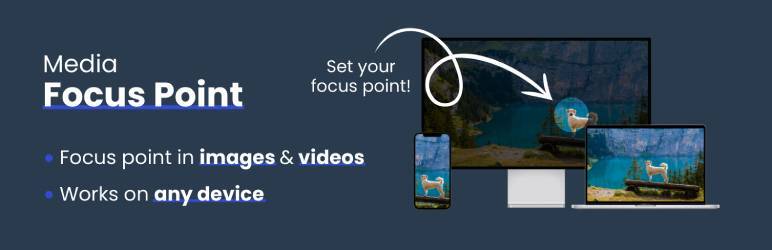
This plugin makes managing background images or videos effortless by allowing you
to set a focus point that stays consistent. Regardless of how the media is resized
or the background changes, the focus point ensures that the most important part
of your media remains visible and centered.
Ideal for responsive designs and dynamic backgrounds, this tool ensures your media
always looks polished and professional on any screen size or resolution.
🚀 See the plugin in action on [WP Company](https://www.wpcompany.nl/)
## Screenshots
* [[
* This screenshot displays the Media Focus Point options available for an uploaded
image.
* [[
* This screenshot showcases how to set the focus point on an image.
* [[
* This screenshot illustrates how the image resizes while ensuring the focus point
remains visible.
## Installation
If you installed the plugin and set a focus point on your image or video **it should
work right away**.
Most WordPress themes already use this standard WordPress method
to render featured images.
_💡 The plugin automatically adds an inline style attribute to the image element,
such as:_
```
style="object-position: 50% 38%;"
```
To display an image in your custom template with the focus point applied, you can
use the following code snippet:
**For featured images (post thumbnails):**
```
```
**For background images including the background-image:url():**
```
```
**To omit inline background-image, set second parameter to false:**
```
```
**For images from Advanced Custom Fields (ACF):**
```
```
**To ensure the image fills its element while maintaining the focus point, use the
object-fit property in your CSS. For example:**
```
img {
height: 300px;
width: 100%;
object-fit: cover;
}
```
**For custom video tags**
```
```
**Custom video function**
```
```
## FAQ
### How do I set a focus point?
When you upload an image or video, the default focus point is centered. To change
this, follow these steps:
1. Upload your media: After uploading, you’ll see the standard focus point set to
the center of the media.
2. Edit the focus point: Below the description fields, you’ll find an option labeled
Focus Point. Click on this and then click on the ‘Change’ button.
3. Select the focus area: A preview of your image or video will appear. Simply click
on the part of the media you want to focus on. The plugin will visually mark the
selected focus area.
4. Save your selection: After selecting the focus point, click Save. The plugin will
record your choice.
5. Adjust percentage: Once saved, you will see two percentage fields: one for the
horizontal and one for the vertical focus point. These percentages represent the
exact position of your selected focus area relative to the media’s dimensions.
6. No additional save required: Once the percentages are set, the focus point is automatically
applied, and there’s no need to save the image itself again.
The focus point will now remain centered on the selected area as the media resizes,
ensuring the most important parts are always visible, no matter the screen size
or layout changes.
### Is this plugin compatible with all themes?
Yes, the plugin is designed to be compatible with most WordPress themes that use
image backgrounds. If you encounter issues, please reach out to our support team.
## Reviews

### [Great plugin to use with Gumlet](https://wordpress.org/support/topic/great-plugin-to-use-with-gumlet/)
[maxstrategiq1](https://profiles.wordpress.org/maxstrategiq1/) February 10, 2026
Great plugin I am using with Gumlet image processor to select the focal point. Support
is rapid, I raised 1 bug and sorted within the next day.Great support for a great
plugin.

### [Easy to use](https://wordpress.org/support/topic/easy-to-use-5284/)
[Make carlos](https://profiles.wordpress.org/make-carlos/) October 14, 2025
The support team is excellent — they understood the issues clearly and resolved
them with the latest updates.

### [Simple, slick and does the job](https://wordpress.org/support/topic/simple-slick-and-does-the-job/)
[Tim](https://profiles.wordpress.org/timwakeling-1/) October 1, 2025
Really good plugin, does one job and does it well. Focus point is automatically
used wherever the image is used on the site, more seamlessly than I expected. Nice.

### [This should be a core functionality +1](https://wordpress.org/support/topic/this-should-be-a-core-functionality-1/)
[Cornel](https://profiles.wordpress.org/vonweb/) September 8, 2025
This should be a core functionality +1

### [This should be a core functionality](https://wordpress.org/support/topic/this-should-be-a-core-functionality-2/)
[CDHeumann](https://profiles.wordpress.org/cdheumann/) September 8, 2025 2 replies
Great plugin, does exactly what it should. Only with very wide images, setting the
focus point is not optimal. You have to experiment a bit.

### [Does what it says!](https://wordpress.org/support/topic/does-what-it-says-1224/)
[61pixels](https://profiles.wordpress.org/61pixels/) June 12, 2025
Just started trying this out on two client sites and it works great. I love that
it’s nothing fancy, it’s just integrated right into the Media library like it should
be, not some crazy fancy interface and custom area for no reason. Been looking for
something like this for years, previously tried ACF Focal Point that was targeted
specifically for ACF, it worked, but not great, and it’s long been abandoned years
ago. This plugin works everywhere, not just ACF, and is simple, intuitive and just
great.
[ Read all 8 reviews ](https://wordpress.org/support/plugin/media-focus-point/reviews/)
## Contributors & Developers
“Media Focus Point” is open source software. The following people have contributed
to this plugin.
Contributors
* [ WP Company ](https://profiles.wordpress.org/wpcompany/)
“Media Focus Point” has been translated into 1 locale. Thank you to [the translators](https://translate.wordpress.org/projects/wp-plugins/media-focus-point/contributors)
for their contributions.
[Translate “Media Focus Point” into your language.](https://translate.wordpress.org/projects/wp-plugins/media-focus-point)
### Interested in development?
[Browse the code](https://plugins.trac.wordpress.org/browser/media-focus-point/),
check out the [SVN repository](https://plugins.svn.wordpress.org/media-focus-point/),
or subscribe to the [development log](https://plugins.trac.wordpress.org/log/media-focus-point/)
by [RSS](https://plugins.trac.wordpress.org/log/media-focus-point/?limit=100&mode=stop_on_copy&format=rss).
## Changelog
#### 2.0.5
* Correctly decodes Base64 UTF-8 strings for opening in modal (Example: ExampleImagewithCopyright
©.png)
#### 2.0.4
* Weird bug when setting focus point for Featured Image or ACF Image fields
#### 2.0.3.1
* Fixed bug where overlay controls were sometimes visible in locations they shouldn’t
be.
#### 2.0.3
* Fixed an issue with overlapping elements when opening the focus point overlay
within a media library opened in a block editor.
#### 2.0.2
* Fixed aspect ratio of wide images while selecting a focus point
* Fixed setting a focus point by mouseclick sometimes resulting in a focus point
just outside the image
#### 2.0.1
* Added custom prefix to all classes to prevent style conflicts
#### 2.0
* Media Focus Point: now supports video!
* Added Gutenberg-block compatibility for images and videos
* Fixed bug that allowed negative percentages to be manually inserted
#### 1.5
* Added functionality to allow editing the focus point directly on the attachment
detail page without requiring the modal.
#### 1.4
* Images are no longer draggable while setting a focus point.
* Corrected image boundaries when setting a focus point by clicking on an image.
* Focus point is now shown in number fields to allow for further fine-tuning.
* Fixed a bug where image dimensions were sometimes read too early causing division
by zero.
#### 1.3
* New function MFP_Background to dynamically generate background position for background
images.
#### 1.2.2
* Remove the disabled script that caused errors in certain situations
#### 1.2.1
* Added banner, icon and screenshot to plugin
#### 1.2
* Added i18n support
#### 1.1
* Replaced jQuery with vanilla JavaScript for improved performance and compatibility.
#### 1.0
* Initial release with the ability to set a focus point on image backgrounds.
## Meta
* Version **2.0.5**
* Last updated **2 months ago**
* Active installations **5,000+**
* WordPress version ** 6.0 or higher **
* Tested up to **6.9.4**
* PHP version ** 7.4 or higher **
* Languages
* [Dutch](https://nl.wordpress.org/plugins/media-focus-point/) and [English (US)](https://wordpress.org/plugins/media-focus-point/).
* [Translate into your language](https://translate.wordpress.org/projects/wp-plugins/media-focus-point)
* Tags
* [background](https://sna.wordpress.org/plugins/tags/background/)[focus](https://sna.wordpress.org/plugins/tags/focus/)
[image](https://sna.wordpress.org/plugins/tags/image/)[video](https://sna.wordpress.org/plugins/tags/video/)
* [Advanced View](https://sna.wordpress.org/plugins/media-focus-point/advanced/)
## Ratings
5 out of 5 stars.
* [ 8 5-star reviews ](https://wordpress.org/support/plugin/media-focus-point/reviews/?filter=5)
* [ 0 4-star reviews ](https://wordpress.org/support/plugin/media-focus-point/reviews/?filter=4)
* [ 0 3-star reviews ](https://wordpress.org/support/plugin/media-focus-point/reviews/?filter=3)
* [ 0 2-star reviews ](https://wordpress.org/support/plugin/media-focus-point/reviews/?filter=2)
* [ 0 1-star reviews ](https://wordpress.org/support/plugin/media-focus-point/reviews/?filter=1)
[Your review](https://wordpress.org/support/plugin/media-focus-point/reviews/#new-post)
[See all reviews](https://wordpress.org/support/plugin/media-focus-point/reviews/)
## Contributors
* [ WP Company ](https://profiles.wordpress.org/wpcompany/)
## Support
Issues resolved in last two months:
0 out of 1
[View support forum](https://wordpress.org/support/plugin/media-focus-point/)