
Description
This plugin is a minimal, lightweight solution that lets you protect specific parts of your WordPress post content, making them visible only to registered users.
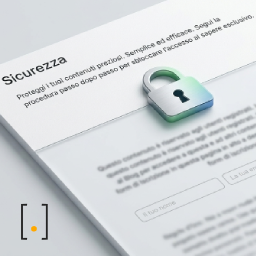
Visitors who are not logged in will see a customizable colored banner with a button that links to the registration page.
Main features:
- Simple shortcode:
[contenuto_protetto] - Customizable banner for non-registered users
- Default messages configurable in settings
- Custom link for the registration page
- Meta box in the editor sidebar with usage instructions
- Responsive, modern design
- Lightweight and performant
How it works:
- Wrap the content you want to protect with the
[contenuto_protetto]shortcode - Registered users will see the content as usual
- Non-registered visitors will see a banner with a registration button
Customization:
You can customize:
* Banner title
* Banner text
* Banner background color
* Button text
* Registration page link
All settings are available under Settings > Protected Content.
Usage examples:
Basic example:
[contenuto_protetto]

This text is for registered users only.

[/contenuto_protetto]
With custom options:
[contenuto_protetto titolo="Premium Content" testo="Register to read" colore="#ff0000"]

Protected content here

[/contenuto_protetto]
Screenshots

Banner for non-registered users 
Meta box with instructions in the editor 
Settings page
Installation
Automatic installation:
- Go to Plugins > Add New in the WordPress dashboard
- Search for “Karma Protected Content”
- Click Install Now and then Activate
Manual installation:
- Download the plugin
- Upload the
karma-contenuto-protettofolder to/wp-content/plugins/ - Activate the plugin from the Plugins screen in WordPress
FAQ
-
How do I use the shortcode?
-
Wrap the content you want to protect with
[contenuto_protetto]. Make sure to use the “Code” mode in the WordPress editor, not the “Visual” mode. -
Yes! Go to Settings > Protected Content to configure the default messages. You can also customize each shortcode individually using the attributes.
-
What attributes can I use in the shortcode?
-
Use these attribute names (they are required by the plugin) in your shortcode:
* Banner title — use attributetitolo
* Banner text — use attributetesto
* Background color in hexadecimal (e.g. #0073aa) — use attributecolore
* Button text — use attributepulsante -
Can I use a custom link for registration?
-
Yes, in the settings you can enter an absolute or relative URL for the registration page.
Reviews

Contributors & Developers
“Karma Protected Content” is open source software. The following people have contributed to this plugin.
Contributors
Translate “Karma Protected Content” into your language.
Interested in development?
Browse the code, check out the SVN repository, or subscribe to the development log by RSS.
Changelog
1.0.1
- Readme translated to English for WordPress.org compliance.
1.0.0
- Initial release
- Shortcode to protect content
- Customizable banner for non-registered users
- Settings page
- Meta box with instructions in the editor
- Custom registration link support